

An ERP solution that is costly and ineffective loses its reputation and appeal among companies. In a 2015 ERP report, Panorama Consulting Solutions noted that ERP implementation costs are higher than in 2014 and that ERP failure rates increased by 21% this year, up from 16% last year. Additionally, in 2015 fewer companies are reselecting the same ERP vendor than last year (69% this year versus 76% last year). This suggests that companies are struggling to select and implement ERP systems the “right” way.
Read more:The Use of Spreadsheets and Modern Cloud Adoption in Businesses
We consider an ERP implementation a failure if it has taken too long, incurred more costs than anticipated, and failed to deliver the promised benefits. But before you look for signs of an inefficient ERP and determine to replace it, consider this one thing.
Is the issue caused by the system or by user adoption?
ERP software customisation is on the rise, with 93% of organisations customising their software to some degree to better fit their users. The fact is, more or less, users have to change the way they are used to working to fit the system. Hence, training plays a vital role in ERP success. That’s why change management is a major part of the implementation cycle. Having poorly trained users who find it difficult to use the new system negatively impacts the whole company.
Assuming you have identified problems with your current ERP that are unrelated to user adoption, let’s discuss the typical signs that indicate an overhaul is due.
Read more:The Need for Industry-specific On-demand Training for End Users
5 Signs That It’s Time to Replace Your ERP
1. Rigid Legacy Systems
– Your ERP system can’t integrate mission-critical business data.
Your data is “locked up” and difficult to access, which keeps you from the fast and easy analysis necessary for decision-making. This can be worse when quality management, engineering and design, EDI, customer orders, and release accounting all reside in “silos” of information that exist independently of each other.
– Upgrades are disruptive to the business.
Upgrades often require updates to the operating system, database management system, disk space and hardware. Every time the system upgrades, the “pause” required for the conversion negatively affects your company.
– Globalisation is too difficult.
Your system requires you to run a different version to support information from China, Eastern Europe and various other countries. Rollups of localised, unique financial data are done via spreadsheets, which is cumbersome.
Learn more: Calling All Procurement Managers: How Much You’ve Saved For Your Company?
2. Complexity and Cumbersomeness
– A large amount of time is required for employees to learn the system, which causes frustration and defensiveness to surface. People want to perform their duties effectively, and when a piece of software is holding them back, it can create misguided tension.
– Your suppliers need to load special software to connect, which prevents them from quickly and easily getting the information they need. The value stream is increasingly interconnected, so your system must be user-friendly for your trade partners, too.
3. Unproductive Costs
Implementing changes from the ERP vendor uses a great deal of time and money. However, you would rather adopt these changes than lag behind. Not taking advantage of new releases means losing a competitive advantage and wasting the money paid in maintenance.
All systems need maintaining, and although maintenance fees are high, you feel you have no choice but to tolerate these unproductive costs.
4. Disadvantages in Data Resources
Back-up tape method: Recovery time objective (RTO) is the time required to get back up and running after a disaster (e.g., a data centre that has burned down). If your current system requires you to buy new equipment, configure it, and then reload your data from tapes, your recovery plan will end up a disaster as well. Tape method cause a huge loss of data. Any system using the tape method needs an overhaul.
PCs: PCs seem more economical, but you may rethink this when you realise how much memory an ERP needs to function properly.
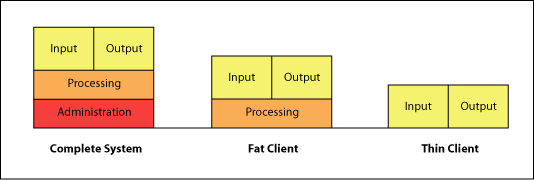
“Fat client”: A networked computer with most resources installed locally, rather than distributed over a network, is considered a “fat client.” If you need to install and maintain fat clients, you will soon face IT difficulties, security risks, and high maintenance and licensing costs.
5. UnClouding the Cloud
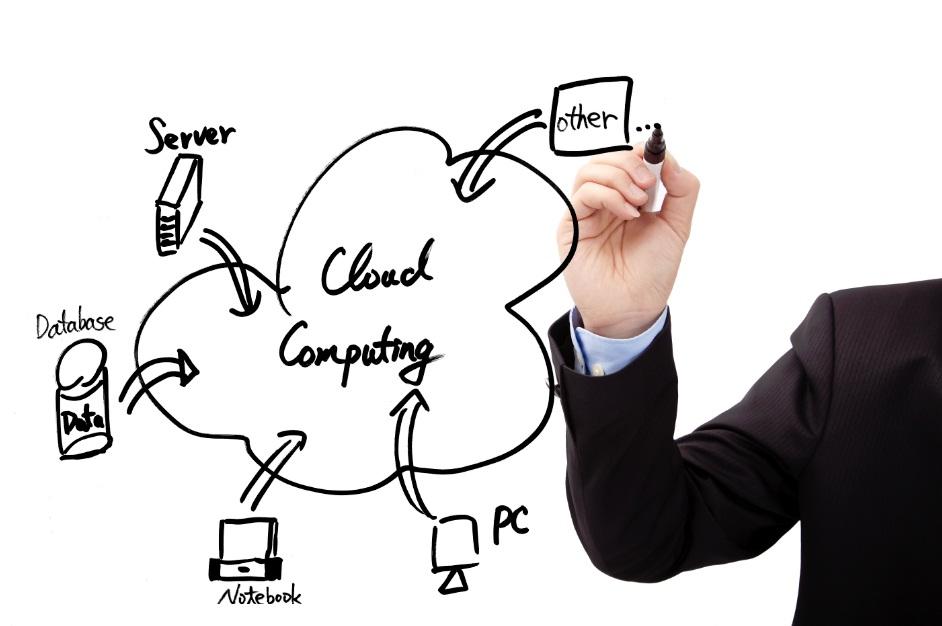
One of the biggest benefits of an ERP is the convenience of “whenever and wherever.” This means you can access data easily if you are traveling, or at least not in your office. Smartphones help you stay in touch—wireless connectivity is everywhere—yet because your ERP doesn’t have mobile apps, you’re stuck. In the era of technology and timely information, a system that doesn’t support mobility is simply unacceptable.
Whatever the reason for your ERP solution’s lack of performance, don’t be quick to assume it’s the solution itself. Replacing the solution is costly, time-consuming and may be unnecessary. We suggest you first undergo a systematic approach to determine the root cause so that you can address performance issues in a way that will deliver the business operations you want and need.